
Ordering Human Edited Transcription
Walkthrough of How to Order Human Edited Transcription service from the TranscribeMe! Customer Portal
You can order Human Edited transcripts either with timestamps and speaker IDs or without in two ways. Just follow the instructions below:
Log in to your Customer Portal account by entering your email address and then your password.

Upload your files using the Customer Portal Walkthrough. Making sure that you use the green Upload Files button in the top right hand side of the screen.

Once you click on the upload files button you will have a window pop up so you can select the type of files you want to upload based on where it resides. Please note, public links no longer work for platforms such as YouTube, as they have now added a payment level to their platform.
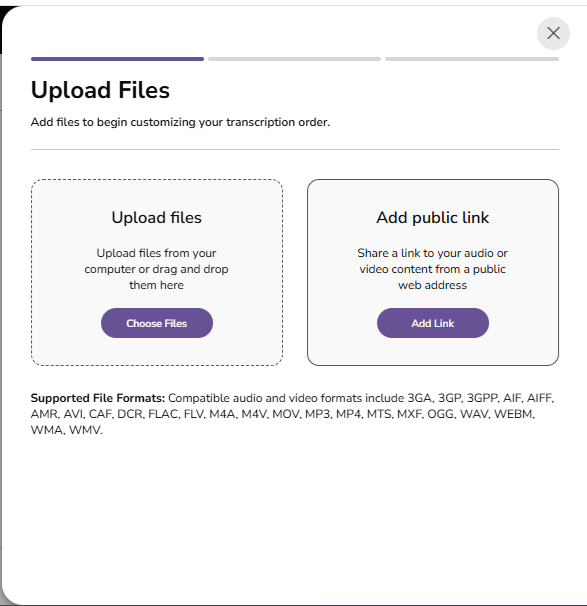
This will now open to a file manager window that will allow you to select the files you want to upload.
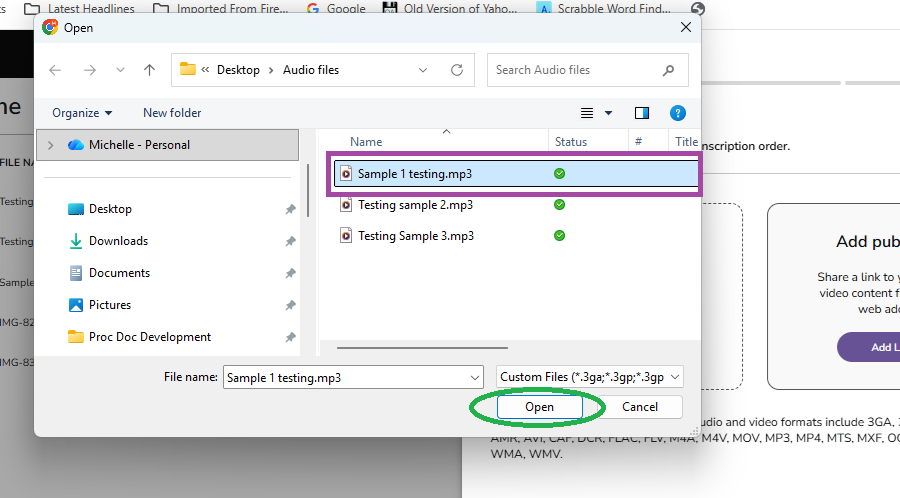
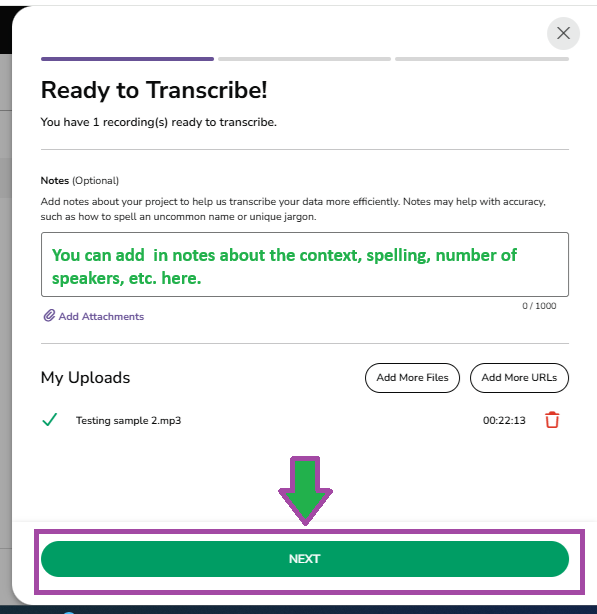
Once the file or files are finished uploading you will see a ' Ready To Transcribe' window.
If you don't already have a Customer Portal account, you can do an Order Now procedure to get to this point by following this walkthrough.
If you already have files uploaded, you can select them to be transcribed by clicking the small square to the left of the file name. This will cause the green 'Upload Files' button in the top right hand corner to change to a green 'Transcribe' button. If you want to order more than one file at a time you can select multiple files by clicking on each of their boxes.


A pop up window will appear saying Ready to Transcribe! This will show the files you currently have selected and allow you to upload any additional files you need. It will also allow you to enter any notes you feel would help in the transcription. These notes are meant for context and unfamiliar words. Special formatting instructions will not be followed if notes are entered at this point. Once you have all the files you need, click the green NEXT button.at the bottom of the screen.


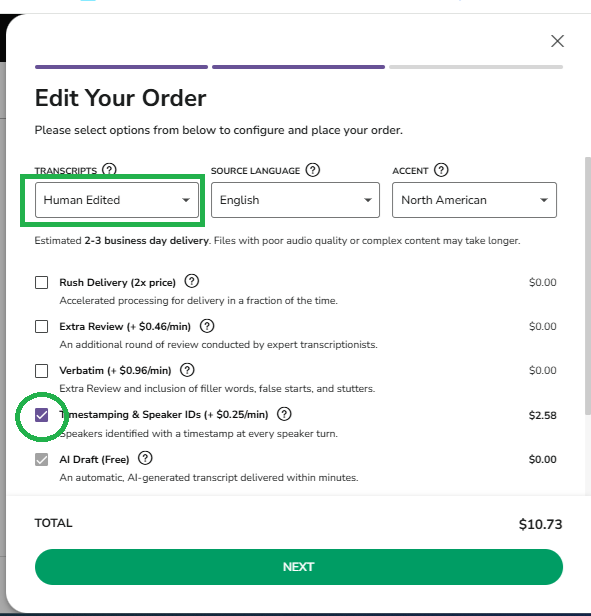
*Please note: Do not change the Turnaround time by clicking the Rush Delivery option, as First Draft files are usually completed within 24 hours. Clicking the Rush option to make the turnaround time 1 Business day will not get your transcript any faster, but you will be charged double the price, as 1 Business Day is our RUSH service and it doubles the reguar rate.
From here, please follow the section titled 'Paying for Your Order' and onwards of our Customer Portal Walkthrough to complete your order.
We hope this article has been helpful to you. If you have any questions or feedback, please contact us at support@transcribeme.com